Create, Work, and Sketch Anywhere with MatePad 11.5
PC Power in a Tablet-Sized Package
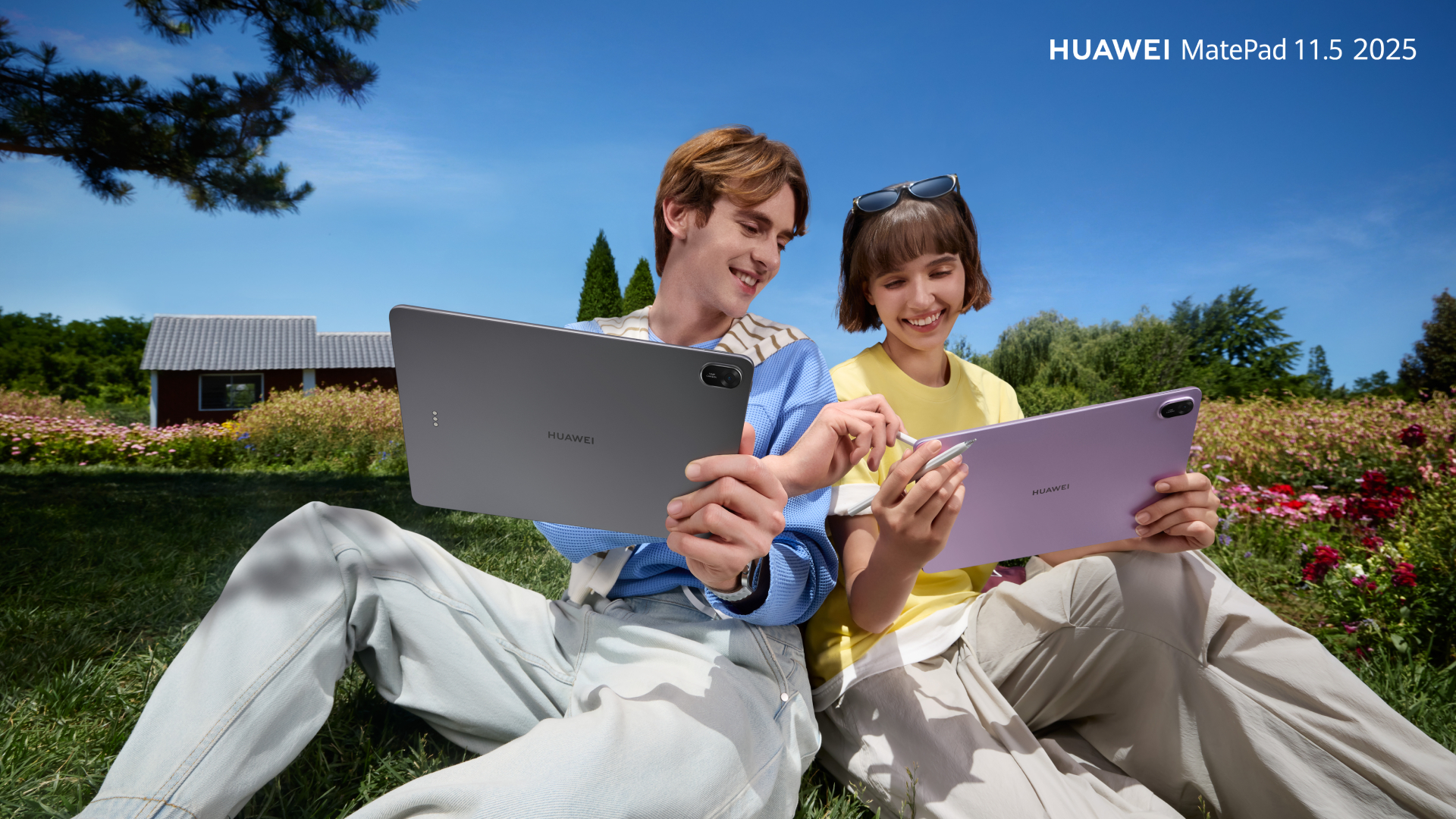
Let’s get one thing straight: the HUAWEI MatePad 11.5 (2025) isn’t just another tablet trying to play dress-up as a laptop. It’s a full-blown productivity machine disguised as a sleek slab of metal. Create, Work, and Sketch Anywhere with MatePad 11.5
Pair it with the HUAWEI Smart Keyboard and you’ve got a mobile workstation that’s lighter than your morning guilt and more protective than your favorite screen protector. Whether you prefer the detachable PC mode or the Split form, the keyboard adapts faster than your boss’s mood on deadline day.
Now, let’s talk software. WPS Office 2.0 on this tablet isn’t just mobile-friendly—it’s PC-level. You can crunch spreadsheets, animate presentations, and edit documents like a pro. Add a mouse and you get a proper cursor. Add a keyboard and shortcut keys become your new best friend.
Multitasking? Easy. Resize windows, float apps, and run App Twin to view two apps side-by-side. SuperHub lets you drag and drop files across HUAWEI devices like you’re living in the future. Spoiler: you are.

Write Like You Mean It—On Paper That Isn’t Paper
The MatePad 11.5 (2025) doesn’t just let you write—it lets you write beautifully. HUAWEI Notes is your canvas, your notebook, your idea vault. Customize pages, switch fonts, and let AI Handwriting Enhancement clean up your chicken scratch into boardroom-ready brilliance.

Need flair? The Resource Center is stacked with themed papers, covers, and stickers. Brushes include the 2B Pencil, Felt-tip Pen, and Calligraphy Brush. You can toggle thickness and color like a digital Bob Ross.
The HUAWEI M-Pencil (3rd Gen) is the cherry on top. It charges magnetically, writes naturally, and is always ready when inspiration strikes—unlike your group chat.

A Display That’s Easy on the Eyes and Hard to Beat
The PaperMatte Display on the MatePad 11.5 (2025) is a masterclass in comfort. It’s 11.5 inches of FullView glory, with 2.5K resolution and a 120Hz refresh rate that makes scrolling feel like gliding.
Nano-level etching reduces glare. Magnetron Nano Optical Coating keeps colors vibrant even under direct sunlight. Circularly polarized light tech softens harsh rays into gentle illumination. Translation: you can work outside without squinting like you just saw your ex.
Certified by SGS and TÜV Rheinland, this display is built for long hours. Whether you’re editing, studying, or binge-reading, your eyes stay fresh. Color Mode turns the screen into a print-like experience—perfect for comics, magazines, or that e-book you keep pretending to finish.

Slim, Stylish, and Surprisingly Sturdy
At just 515g and 6.1mm thin, the MatePad 11.5 (2025) is lighter than your average paperback and tougher than your last deadline. The all-metal unibody frame resists fingerprints and smudges, while the anodized surface adds a premium feel Anywhere with MatePad 11.5
Choose Violet for a soft shimmer or Space Gray for cosmic cool. Either way, you’re carrying a statement piece.
Battery life? Massive. The 10,100mAh battery gives you 14+ hours of video playback. That’s enough for a full workday and a movie marathon. Need juice fast? The 40W HUAWEI SuperCharge fills it up in 94 minutes. A 30-minute charge gives you hours of use—perfect for those “I forgot to charge” mornings.

GoPaint Turns Your Tablet Into a Studio
GoPaint makes its midrange debut on the MatePad 11.5 (2025), and it’s not here to play. This app is a full-fledged digital studio with lifelike textures and a brush library that rivals your local art store.
Whether you’re sketching, shading, or blending, GoPaint captures every nuance. It’s intuitive, responsive, and ready for anything—from quick doodles to detailed illustrations.
Art students, designers, and casual creatives alike will find GoPaint a joy to use. And yes, it works seamlessly with the M-Pencil.

Deals That Make You Look Twice
Available now for PHP 21,999, the HUAWEI MatePad 11.5 (2025) comes with a freebie bundle worth PHP 17,997. That includes the Smart Keyboard (PHP 6,999), M-Pencil (PHP 5,999), and WPS Office suite (PHP 4,999).
From August 29 to September 20, grab PHP 1,000 vouchers on the HUAWEI Online Store. Shopee, Lazada, and TikTok offer PHP 500 vouchers too.
You can find it on Shopee, Lazada, TikTok, HUAWEI Online Store, and HUAWEI Experience Stores nationwide.
To learn more, visit Huawei’s official website or social media accounts (Facebook | Instagram).