Epson offers Epson Craft Studio, a subscription software suite that it says connects product customization, merchandise management, print-job handling and printer management for businesses producing personalized items.
For a business selling custom tote bags, T-shirts or mugs, the difficult part is not only receiving a customer’s design. Each order can involve different products, prices, artwork and production requirements. Epson positions its Epson Craft Studio workflow as a way to bring those steps together instead of handling them as separate manual processes.
Four tools in one suite
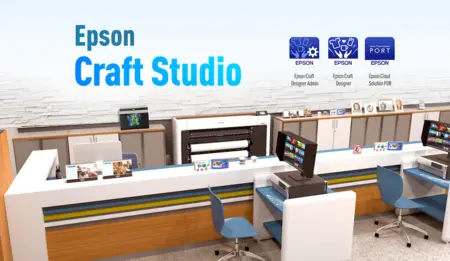
According to Epson, the suite includes Epson Craft Designer, Epson Craft Designer Admin, Production Flow and Epson Print Hub.
Epson Craft Designer is the customer-facing customization tool. Customers can upload photos with their smartphones and customize products using templates, frames, characters and stickers, Epson says.
For store operators, Epson Craft Designer Admin is intended for managing merchandise. Epson says businesses can add or edit items and update prices through the tool.

The production side is handled by Production Flow, which Epson says manages incoming print jobs in real time. Its job list updates as orders enter and move through production, while operators can select printers and use pre-registered print settings for different jobs.
Epson Print Hub connects this process to compatible Epson large-format printers. Epson says print settings established in Production Flow can be applied automatically, reducing the need for operators to repeatedly configure settings for individual jobs.
Connecting customization to output
The central claim behind the Epson Craft Studio workflow is that linking design, ordering, job management and printing can reduce the manual steps between a customer’s customized product and production. That operational connection matters as the number and variety of orders increase, according to the company.
Epson says the suite is designed for businesses handling personalized merchandise, where customization can involve customer designs, product variations, pricing and production workflows. The company also frames the software and compatible printing equipment as a way to simplify the setup for smaller businesses considering personalized merchandise.
The release does not specify particular printers in the suite’s compatibility list, but Epson directs interested businesses to its Epson Craft Studio website to check printer compatibility or request a demo.
Epson further says its connected workflow can support quick turnaround. Personalized products may be ready for same-day pickup depending on the job, the company says.
For businesses, the practical proposition is not that customization removes production work, but that the Epson Craft Studio workflow is intended to organize the handoff between customer design, merchandise setup, print-job management and output. Epson’s announcement focuses on that connected process as personalized-product orders become more varied and harder to manage manually.